Django Migrations 資料庫遷移實戰指南 | Django 教學
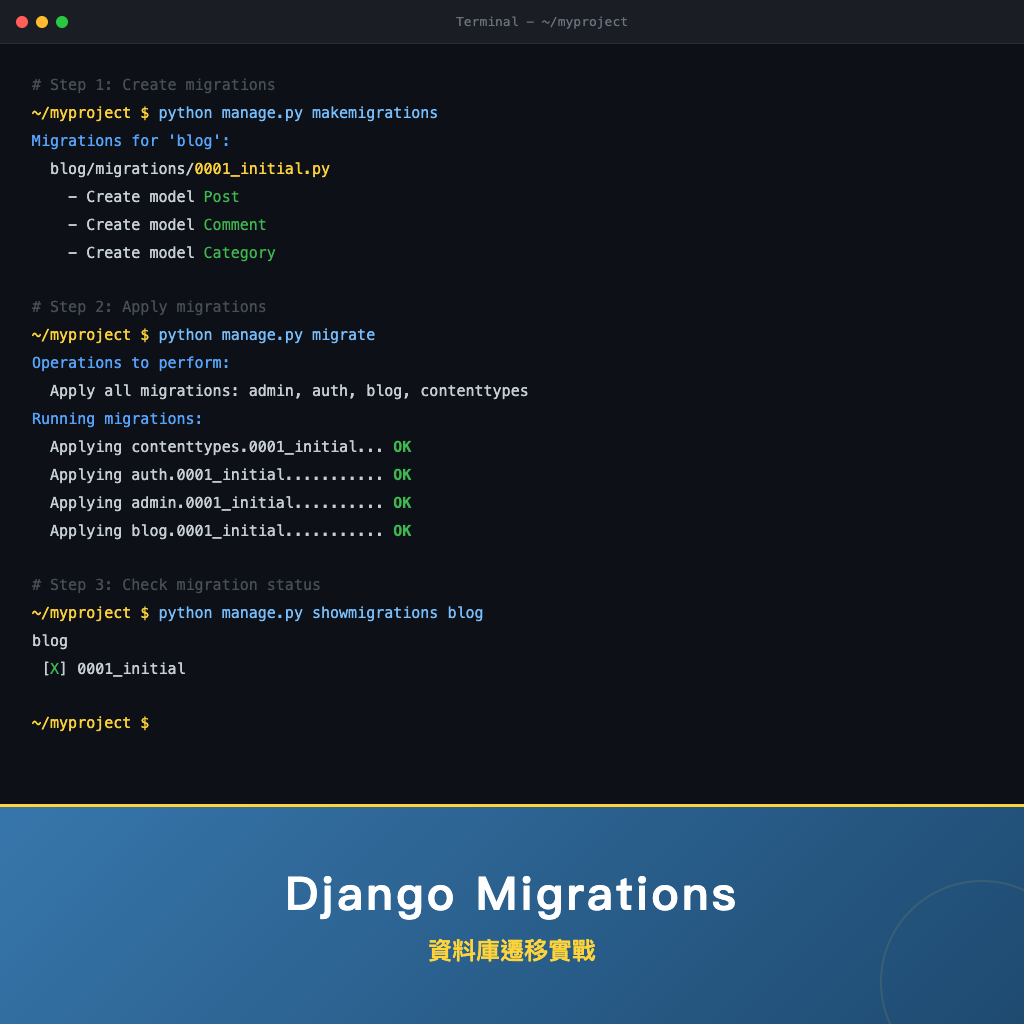
Django Migrations(資料庫遷移)是 Django ORM 內建的 資料庫版本控制系統,負責將 Python Model 的結構變更安全地同步到資料庫。無論是新增欄位、修改資料型別還是刪除資料表,Migration 系統都能幫你產生對應的 SQL 並有序地執行,同時保留既有資料。本文將從基礎概念到進階實戰,帶你完整掌握 makemigrations、migrate、showmigrations 等核心指令,以及遷移衝突處理、回滾與 資料遷移(Data Migration)等實務技巧。
Migration 是什麼?為什麼需要它?
在沒有 Migration 系統的年代,每次修改資料庫結構都需要手動撰寫 SQL 語句,這種做法有幾個致命問題:
- 團隊成員之間的資料庫結構難以同步
- 無法追蹤「誰在什麼時候做了什麼變更」
- 回滾(Rollback)困難,一旦出錯只能靠備份還原
- 開發環境、測試環境、正式環境的資料庫結構容易不一致
Migration 解決的核心問題是:如何將 Python Model 的變更安全地同步到資料庫,同時保留既有資料?
每個遷移檔(Migration File)本質上就是一組資料庫 Schema 變更操作,Django 透過資料庫中的 django_migrations 資料表追蹤哪些遷移已經執行過,確保每個遷移只會被套用一次。
Migration 工作流程
整個 Migration 的工作流程可以用以下步驟來理解:
修改 Model(models.py)
       ↓
makemigrations(偵測變更,產生遷移檔)
       ↓
檢視遷移檔(確認變更內容正確)
       ↓
migrate(將遷移套用到資料庫)
       ↓
資料庫結構更新完成
這個流程的關鍵在於:遷移檔是由 Django 自動產生的 Python 檔案,它記錄了要執行哪些變更操作。你可以把它想像成 Git 的 commit——每個遷移檔就是資料庫結構的一次「提交」。
makemigrations:產生遷移檔案
makemigrations 指令會比較目前的 Model 定義與最新遷移檔的狀態,偵測出差異並產生新的遷移檔。
# 偵測所有 App 的 Model 變更並產生遷移檔
python manage.py makemigrations

# 只針對特定 App 產生遷移檔
python manage.py makemigrations articles

# 自訂遷移檔名稱(方便辨識用途)
python manage.py makemigrations --name add_status_field

# 僅檢查是否有未產生的遷移,不實際寫入(適合 CI/CD 使用)
python manage.py makemigrations --check

# 模擬輸出,不實際寫入檔案
python manage.py makemigrations --dry-run

# 建立空遷移檔(用於資料遷移 Data Migration)
python manage.py makemigrations --empty articles
執行 makemigrations 後,Django 會在 App 目錄下的 migrations/ 資料夾中產生一個新的 Python 檔案,例如 0002_add_status_field.py。
migrate:執行遷移到資料庫
migrate 指令負責將遷移檔中的變更實際套用到資料庫,執行對應的 SQL 語句。
# 執行所有未套用的遷移
python manage.py migrate

# 只執行特定 App 的遷移
python manage.py migrate articles

# 遷移到特定版本(可前進也可回退)
python manage.py migrate articles 0003

# 撤銷某個 App 的所有遷移(回到初始狀態)
python manage.py migrate articles zero

# 偽裝遷移(僅更新 django_migrations 表,不實際執行 SQL)
python manage.py migrate --fake articles 0003

# 用於初次整合既有資料庫
python manage.py migrate --fake-initial
執行範例:
python manage.py migrate
# 預期輸出:
# Operations to perform:
#   Apply all migrations: admin, articles, auth, contenttypes, sessions
# Running migrations:
#   Applying articles.0002_add_status_field... OK
showmigrations:查看遷移狀態
showmigrations 可以列出所有遷移檔及其套用狀態,方便確認目前資料庫處於哪個版本。
# 列出所有 App 的遷移狀態
python manage.py showmigrations
# 預期輸出:
# articles
#  [X] 0001_initial
#  [X] 0002_add_status_field
#  [ ] 0003_add_tags
# auth
#  [X] 0001_initial
#  ...

# 只查看特定 App
python manage.py showmigrations articles

# 以依賴順序列出執行計畫
python manage.py showmigrations --plan
[X] 表示該遷移已套用,[ ] 表示尚未套用。
sqlmigrate:檢視將執行的 SQL 語句
在正式環境執行遷移前,建議先用 sqlmigrate 檢查 Django 實際會產生什麼 SQL,確認沒有問題再執行。
# 查看特定遷移對應的 SQL(不會實際執行)
python manage.py sqlmigrate articles 0002
# 預期輸出:
# BEGIN;
# --
# -- Add field status to article
# --
# ALTER TABLE "articles_article" ADD COLUMN "status" varchar(20) DEFAULT 'draft' NOT NULL;
# ALTER TABLE "articles_article" ALTER COLUMN "status" DROP DEFAULT;
# COMMIT;

# 查看反向遷移的 SQL
python manage.py sqlmigrate articles 0002 --backwards
# 預期輸出:
# BEGIN;
# --
# -- Add field status to article
# --
# ALTER TABLE "articles_article" DROP COLUMN "status" CASCADE;
# COMMIT;
遷移檔案結構解析
每個遷移檔都是一個 Python 模組,包含一個繼承自 migrations.Migration 的類別。讓我們拆解它的結構:
# articles/migrations/0002_add_status_field.py
from django.db import migrations, models


class Migration(migrations.Migration):

    # dependencies:宣告此遷移依賴哪些遷移(必須先執行完才能執行本遷移)
    dependencies = [
        ('articles', '0001_initial'),
    ]

    # operations:此遷移要執行的操作列表
    operations = [
        migrations.AddField(
            model_name='article',
            name='status',
            field=models.CharField(
                max_length=20,
                choices=[('draft', '草稿'), ('published', '已發布')],
                default='draft',
            ),
        ),
    ]
dependencies(依賴關係)
dependencies 定義了遷移之間的執行順序。Django 會解析所有遷移的 dependencies,建構一個 有向無環圖(DAG,Directed Acyclic Graph),確保遷移按照正確的順序執行。
# 跨 App 依賴範例
class Migration(migrations.Migration):
    dependencies = [
        ('articles', '0002_add_status_field'),  # 同 App 的前一個遷移
        ('tags', '0001_initial'),               # 跨 App 依賴
    ]
operations(操作列表)
operations 定義了此遷移要執行的具體操作。常見的操作類型如下:
| 操作 | 說明 |
|---|---|
CreateModel | 建立新的資料表 |
DeleteModel | 刪除資料表 |
AddField | 新增欄位 |
RemoveField | 移除欄位 |
AlterField | 修改欄位屬性(型別、nullable、max_length 等) |
RenameField | 重新命名欄位 |
RenameModel | 重新命名 Model |
AddIndex | 新增索引(Index) |
RemoveIndex | 移除索引 |
RunPython | 執行任意 Python 程式碼(資料遷移使用) |
RunSQL | 直接執行 SQL 語句 |
常見場景實戰
新增欄位
在 Model 中加入新欄位後執行 makemigrations:
# models.py — 新增 view_count 欄位
class Article(models.Model):
    title = models.CharField(max_length=200)
    content = models.TextField()
    view_count = models.IntegerField(default=0)  # 新增此欄位
python manage.py makemigrations articles
# 預期輸出:
# Migrations for 'articles':
#   articles/migrations/0003_article_view_count.py
#     - Add field view_count to article

python manage.py migrate articles
# 預期輸出:
# Applying articles.0003_article_view_count... OK
注意:如果新欄位沒有指定
default值且不允許null,Django 會在makemigrations時提示你選擇處理方式——提供一次性的預設值,或者先離開去修改 Model。
修改欄位
# 將 title 的 max_length 從 200 改為 300
class Article(models.Model):
    title = models.CharField(max_length=300)  # 修改 max_length
python manage.py makemigrations articles
# 預期輸出:
# Migrations for 'articles':
#   articles/migrations/0004_alter_article_title.py
#     - Alter field title on article
刪除欄位
# 移除 view_count 欄位
class Article(models.Model):
    title = models.CharField(max_length=300)
    content = models.TextField()
    # view_count 已刪除
python manage.py makemigrations articles
# 預期輸出:
# Migrations for 'articles':
#   articles/migrations/0005_remove_article_view_count.py
#     - Remove field view_count from article
注意:刪除欄位會導致該欄位的資料永久遺失,在正式環境操作前務必確認已備份資料。
遷移衝突處理(多人開發時)
當多位開發者在同一個 App 上同時建立遷移檔時,可能會出現衝突。例如 Developer A 和 Developer B 都從 0002 建立了各自的 0003 遷移:
                    0003_add_status  (Developer A)
                  ↗
0002_base ——→
                  ↘
                    0003_add_tags    (Developer B)
當你合併程式碼後執行 makemigrations,Django 會偵測到衝突並提示:
python manage.py makemigrations
# 預期輸出:
# Conflicting migrations detected; multiple leaf nodes in the
# migration graph...

# 使用 --merge 自動建立合併遷移
python manage.py makemigrations --merge
# 預期輸出:
# Merging articles
#   Branch 0003_add_status
#   Branch 0003_add_tags
# Created new merge migration articles/migrations/0004_merge_20260530_1234.py
合併遷移檔的內容很簡單,它只是建立一個同時依賴兩個衝突遷移的空遷移:
# articles/migrations/0004_merge_20260530_1234.py
class Migration(migrations.Migration):
    dependencies = [
        ('articles', '0003_add_status'),   # Developer A 的遷移
        ('articles', '0003_add_tags'),     # Developer B 的遷移
    ]
    operations = []  # 空操作,只是建立順序關係
回滾遷移
Django 的遷移系統支援 雙向操作(Reversible),你可以透過指定遷移版本號來回滾到之前的狀態:
# 回滾到 0002 版本(會反向執行 0003 及之後的遷移)
python manage.py migrate articles 0002
# 預期輸出:
# Operations to perform:
#   Target specific migration: 0002_add_status_field, from articles
# Running migrations:
#   Rendering model states... DONE
#   Unapplying articles.0003_add_tags... OK

# 撤銷某個 App 的所有遷移
python manage.py migrate articles zero
注意:並非所有遷移都可以回滾。如果遷移中包含不可逆操作(例如
RunPython沒有提供reverse_code),嘗試回滾時會報錯。養成好習慣,每個自訂的遷移操作都應該提供反向操作。
資料遷移(RunPython)
除了結構遷移(Schema Migration),有時候你也需要在遷移過程中 搬移或轉換既有資料,這就是 資料遷移(Data Migration)。Django 提供 RunPython 操作來實現。
建立資料遷移
首先,建立一個空的遷移檔作為起點:
python manage.py makemigrations articles --empty --name populate_slug
# 預期輸出:
# Migrations for 'articles':
#   articles/migrations/0005_populate_slug.py
然後編輯這個遷移檔,加入資料遷移邏輯:
# articles/migrations/0005_populate_slug.py
from django.db import migrations
from django.utils.text import slugify


def populate_slug(apps, schema_editor):
    """
    正向遷移:為所有文章填充 slug 欄位。
    重要:使用 apps.get_model() 取得「歷史狀態」的 Model,
    而非直接 import,以確保使用遷移當時的 Model 結構。
    """
    Article = apps.get_model('articles', 'Article')

    articles_to_update = []
    for article in Article.objects.filter(slug=''):
        article.slug = slugify(article.title) or f'article-{article.pk}'
        articles_to_update.append(article)

    # 使用 bulk_update 提升效能,避免 N 次 SQL 查詢
    if articles_to_update:
        Article.objects.bulk_update(articles_to_update, ['slug'], batch_size=500)


def reverse_populate_slug(apps, schema_editor):
    """反向遷移:清空所有 slug 欄位(回到未填充狀態)。"""
    Article = apps.get_model('articles', 'Article')
    Article.objects.all().update(slug='')


class Migration(migrations.Migration):

    dependencies = [
        ('articles', '0004_add_slug_field'),  # 確保 slug 欄位已存在
    ]

    operations = [
        migrations.RunPython(
            populate_slug,
            reverse_code=reverse_populate_slug,
            # 若不需要反向操作,可以用:
            # reverse_code=migrations.RunPython.noop,
        ),
    ]
RunPython 的關鍵要點
- 使用
apps.get_model()取得 Model:不要直接from articles.models import Article,因為直接 import 會使用目前最新的 Model 結構,而遷移執行時的 Model 結構可能不同。 - 提供
reverse_code:確保遷移可以回滾。如果真的無法反向,使用migrations.RunPython.noop明確標示。 - 使用
bulk_update或bulk_create:避免在迴圈中逐筆執行 SQL,大幅提升效能。
最佳實踐與常見錯誤
最佳實踐
遷移檔要納入版本控制:遷移檔是程式碼的一部分,必須和
models.py一起提交到 Git。團隊成員 pull 程式碼後只需要執行migrate就能同步資料庫結構。不要手動修改已提交的遷移檔:遷移檔具有 不可變性(Immutability),如果需要修正,應該建立新的遷移來覆蓋。
正式環境遷移前先用 sqlmigrate 檢查:
# 上線前先確認 SQL 語句
python manage.py sqlmigrate articles 0005
- 在 CI/CD 中使用
--check確保遷移檔已產生:
# CI 管線中檢查是否有未產生的遷移
python manage.py makemigrations --check
# 若有未產生的遷移,指令會回傳非零 exit code
- 遷移檔累積過多時使用 squashmigrations 壓縮:
# 將 articles App 的 0001 到 0010 壓縮為單一遷移
python manage.py squashmigrations articles 0001 0010
- 大型資料表遷移要分階段進行:對於百萬筆以上的資料表,直接
ALTER TABLE可能導致長時間鎖表。建議採用 三階段部署(Expand-Contract Pattern):先新增欄位允許 NULL、背景填充資料、最後切換並移除舊欄位。
常見錯誤
忘記執行 makemigrations 就直接 migrate:修改 Model 後必須先執行
makemigrations產生遷移檔,再執行migrate。在
.gitignore中排除遷移檔:遷移檔必須納入版本控制,否則團隊成員無法同步資料庫結構。唯一應該被排除的是__pycache__/。直接刪除遷移檔解決衝突:這會導致
django_migrations表中的記錄與實際檔案不一致,造成更嚴重的問題。正確做法是使用makemigrations --merge。在 RunPython 中直接 import Model:
# 錯誤做法
from articles.models import Article  # 使用目前最新的 Model 結構

# 正確做法
def my_migration(apps, schema_editor):
    Article = apps.get_model('articles', 'Article')  # 使用歷史狀態的 Model
- 在正式環境沒有備份就執行破壞性遷移:任何涉及刪除欄位或資料表的遷移,執行前都應該先備份資料庫。
總結
Django Migrations 是 Django 開發中不可或缺的資料庫版本控制工具,讓你能安全且有系統地管理資料庫結構的演進。讓我們回顧本文的重點:
- Migration 的本質:每個遷移檔就是一組資料庫 Schema 變更操作,Django 透過
django_migrations表追蹤執行狀態。 - 核心指令:
makemigrations產生遷移檔、migrate套用遷移、showmigrations查看狀態、sqlmigrate預覽 SQL。 - 遷移檔結構:由
dependencies(依賴關係)和operations(操作列表)組成,Django 建構 DAG 確保正確的執行順序。 - 常見場景:新增、修改、刪除欄位都能透過
makemigrations自動產生對應遷移。 - 衝突處理:多人開發時使用
makemigrations --merge解決遷移衝突。 - 回滾機制:透過
migrate app_name migration_name可以回到指定版本,但每個遷移操作都應提供反向操作。 - 資料遷移:使用
RunPython在結構變更的同時搬移或轉換既有資料,記得使用apps.get_model()取得歷史狀態的 Model。 - 最佳實踐:遷移檔納入版本控制、不手動修改已提交遷移、上線前用
sqlmigrate檢查、CI/CD 中用--check驗證。
掌握好 Migrations 系統,你就能自信地管理 Django 專案中任何資料庫結構的變更,不再害怕「改了 Model 會不會把資料庫搞壞」這件事。