Python 基礎語法速覽:給 Django 學習者的快速入門 | Django 教學
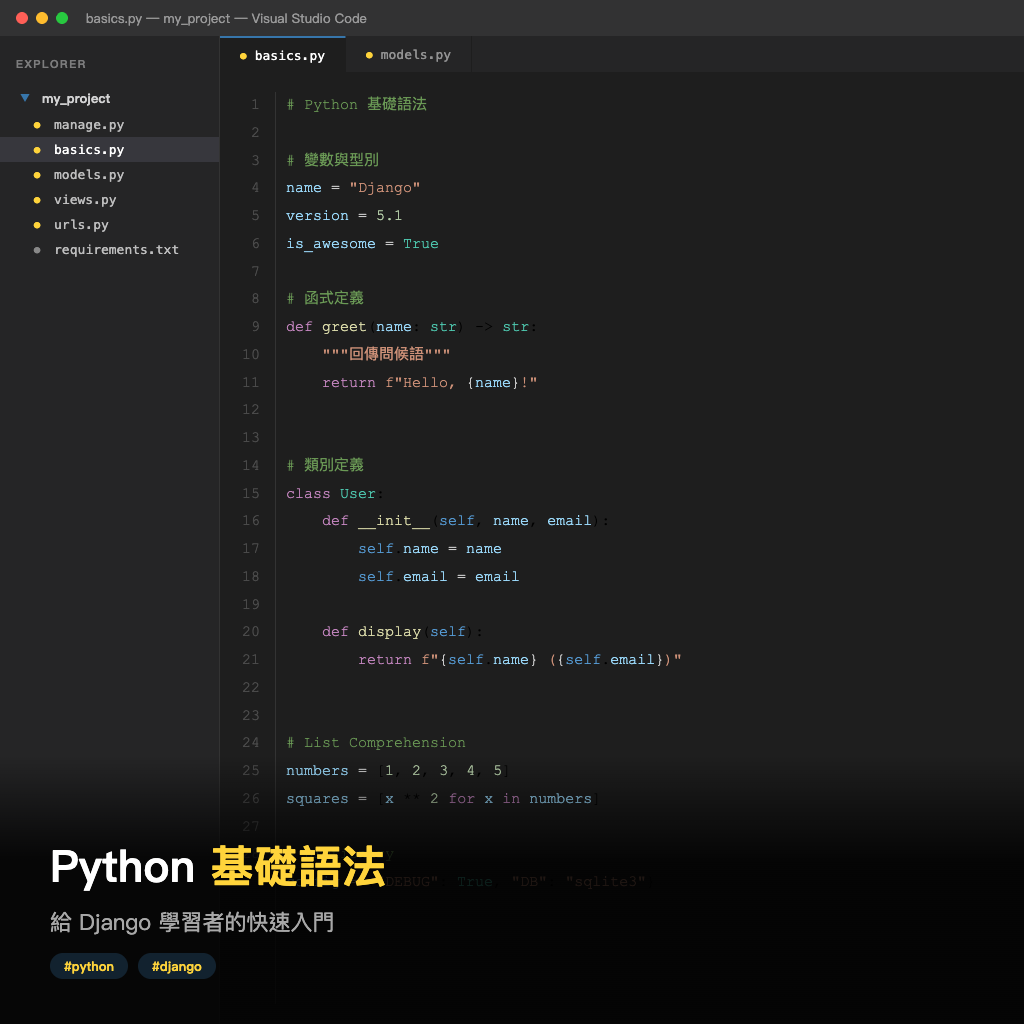
在開始學習 Django 之前,你需要具備一定的 Python 基礎。本篇文章是為 Django 學習者量身打造的 Python 語法速覽,聚焦於開發 Django 時最常用到的語法知識,包括 變數與資料型別、資料結構、控制流程、函數、類別與物件導向、裝飾器(Decorators) 以及 模組匯入,幫助你用最短時間做好準備。
變數與資料型別(Data Types)
Python 是動態型別(Dynamically Typed)語言,宣告變數時不需要指定型別,直譯器會自動推斷。以下是 Django 開發中最常用的五種基本型別:
# 字串(str)— 網頁內容、URL、模板文字
title = "Django 教學"
url = f"/post/{title}/"           # f-string 格式化

# 整數(int)— 主鍵 ID、分頁、計數
page = 1
per_page = 20

# 浮點數(float)— 價格、評分
price = 299.99

# 布林值(bool)— 權限判斷、功能開關
is_active = True
is_staff = False

# 空值(None)— 預設值、可選欄位
middle_name = None
型別轉換與檢查
在處理表單資料或 URL 參數時,經常需要型別轉換:
# 型別轉換
age = int("25")           # 字串轉整數
price = float("19.99")    # 字串轉浮點數
count = str(100)           # 整數轉字串

# 型別檢查
print(type(age))           # 輸出:<class 'int'>
print(isinstance(age, int))  # 輸出:True

# Falsy 值 — 在條件判斷中視為 False
# False, None, 0, 0.0, "", [], (), {}, set()
username = ""
if not username:
    print("使用者名稱不能為空")  # 輸出:使用者名稱不能為空
資料結構(Data Structures)
Django 大量使用 Python 的內建資料結構。掌握 串列(list)、字典(dict)、元組(tuple) 和 集合(set) 是必備技能。
串列(List)— 可變有序序列
# 建立串列
tags = ["python", "django", "web"]

# 存取元素
print(tags[0])             # 輸出:python
print(tags[-1])            # 輸出:web

# 修改操作
tags.append("tutorial")    # 新增到尾端
tags.insert(0, "beginner") # 插入到指定位置
tags.remove("web")         # 移除指定元素

# 串列推導式(List Comprehension)— Django 中常見
active_users = [user for user in users if user.is_active]
usernames = [user.username.upper() for user in users]

# 切片(Slicing)
recent_posts = posts[:10]  # 取前 10 筆
字典(Dictionary)— 鍵值對映射
字典是 Django 中最重要的資料結構之一,模板上下文(Context)、設定檔、JSON 回應都是字典:
# 建立字典
context = {
    "title": "首頁",
    "posts": post_list,
    "is_authenticated": True,
}

# 存取值
print(context["title"])           # 輸出:首頁
print(context.get("author", "匿名"))  # 安全存取,不存在時回傳預設值

# 遍歷字典
for key, value in context.items():
    print(f"{key}: {value}")

# 合併字典(Python 3.9+)
defaults = {"page": 1, "per_page": 20}
params = {"page": 3, "sort": "date"}
merged = defaults | params        # {'page': 3, 'per_page': 20, 'sort': 'date'}

# 字典推導式
field_errors = {field: err for field, err in form.errors.items()}
元組(Tuple)與集合(Set)
# 元組(Tuple)— 不可變序列,常用於 Django 設定
INSTALLED_APPS = (
    "django.contrib.admin",
    "django.contrib.auth",
    "myapp",
)

STATUS_CHOICES = (
    ("draft", "草稿"),
    ("published", "已發布"),
)

# 解包(Unpacking)
status_code, status_text = ("draft", "草稿")

# 集合(Set)— 無序不重複,適合權限判斷
user_permissions = {"read", "write", "delete"}
required_permissions = {"read", "write"}
print(required_permissions.issubset(user_permissions))  # 輸出:True
控制流程(Control Flow)
條件判斷 — if / elif / else
# 基本條件判斷
if request.method == "POST":
    # 處理表單提交
    pass
elif request.method == "GET":
    # 顯示表單
    pass
else:
    # 其他 HTTP 方法
    pass

# 三元運算式(Ternary Expression)
status = "已發布" if post.is_published else "草稿"

# 利用 Truthy / Falsy 簡化判斷
name = user_input or "匿名"  # user_input 為空字串時使用預設值
迴圈 — for 與 while
# for 迴圈 — 遍歷序列
for post in posts:
    print(post.title)

# 搭配 enumerate 取得索引
for index, post in enumerate(posts, start=1):
    print(f"{index}. {post.title}")

# 搭配 zip 平行遍歷
for name, email in zip(names, emails):
    print(f"{name}: {email}")

# range — 產生數字序列
for i in range(5):             # 0, 1, 2, 3, 4
    print(i)

# while 迴圈
retry_count = 0
while retry_count < 3:
    if try_connection():
        break                  # 成功則跳出
    retry_count += 1
函數定義與參數(Functions)
函數(Function)是 Python 程式碼的基本組織單位。Django 的視圖(View)可以是函數,中介軟體(Middleware)也常用函數實作。
基本定義與預設參數
def greet(name, greeting="Hello"):
    """打招呼函數。"""
    return f"{greeting}, {name}!"

print(greet("Django"))            # 輸出:Hello, Django!
print(greet("Django", "Hi"))      # 輸出:Hi, Django!
print(greet(name="World"))        # 輸出:Hello, World!
*args 與 **kwargs — 不定長參數
這是理解 Django 原始碼的關鍵語法。*args 將多餘的位置引數(Positional Arguments)打包為元組,**kwargs 將多餘的關鍵字引數(Keyword Arguments)打包為字典:
# *args — 接收任意數量的位置引數
def add(*args):
    return sum(args)

print(add(1, 2, 3))              # 輸出:6

# **kwargs — 接收任意數量的關鍵字引數
def create_user(**kwargs):
    for key, value in kwargs.items():
        print(f"{key} = {value}")

create_user(name="Alice", age=30, email="alice@example.com")
# 輸出:
# name = Alice
# age = 30
# email = alice@example.com

# 混合使用 — Django 原始碼中常見的模式
def view(request, *args, **kwargs):
    pk = kwargs.get("pk")
    return render(request, "detail.html", {"pk": pk})
解包傳入函數
# 串列解包為位置引數
args = [1, 2, 3]
print(add(*args))                 # 等同 add(1, 2, 3),輸出:6

# 字典解包為關鍵字引數
config = {"name": "Alice", "age": 30}
create_user(**config)             # 等同 create_user(name="Alice", age=30)
類別與物件導向基礎(OOP)
Django 的核心元件 — Model、View、Form、Admin — 都基於類別(Class)設計。理解物件導向程式設計(Object-Oriented Programming,簡稱 OOP)是使用 Django 的必要條件。
類別定義、__init__ 與 self
class Article:
    # 類別變數 — 所有實例共用
    platform = "BenzHub"

    def __init__(self, title, content, author=None):
        # 實例變數 — 每個物件獨立
        self.title = title
        self.content = content
        self.author = author
        self.is_published = False

    def publish(self):
        self.is_published = True
        return f"《{self.title}》已發布"

    def __str__(self):
        return f"Article: {self.title}"

# 建立物件(實例化)
post = Article("Django 入門", "本篇教學...")
print(post.publish())             # 輸出:《Django 入門》已發布
print(post)                       # 輸出:Article: Django 入門
__init__是建構方法(Constructor),在建立物件時自動呼叫self代表物件自身的實例(Instance),透過它存取物件的屬性與方法__str__是魔術方法(Magic Method),定義物件的字串表示
繼承(Inheritance)
繼承(Inheritance)讓子類別(Child Class)重用父類別(Parent Class)的程式碼,Django 的 Model 和 View 都大量使用這個特性:
class BaseModel:
    def __init__(self, created_at=None):
        self.created_at = created_at or "now"

    def save(self):
        print(f"儲存到資料庫,建立時間:{self.created_at}")

class Article(BaseModel):
    def __init__(self, title, content, **kwargs):
        super().__init__(**kwargs)  # 呼叫父類別的 __init__
        self.title = title
        self.content = content

    def save(self):
        print(f"儲存文章:{self.title}")
        super().save()             # 呼叫父類別的 save

article = Article("Django ORM", "Django 的 ORM 教學...")
article.save()
# 輸出:
# 儲存文章:Django ORM
# 儲存到資料庫,建立時間:now
這個模式在 Django 中隨處可見,例如自訂 Model 繼承 models.Model、自訂 View 繼承 View 或 ListView,並透過 super() 呼叫父類別方法。
裝飾器(Decorators)基礎
裝飾器(Decorator)是 Python 中一個強大的語法特性,Django 大量使用裝飾器來實現權限控制、HTTP 方法限制等功能。
裝飾器的基本原理
裝飾器本質上是一個函數,它接收一個函數作為參數,回傳一個新的函數:
from functools import wraps

def log_calls(func):
    @wraps(func)  # 保留原函數的名稱與文件字串
    def wrapper(*args, **kwargs):
        print(f"呼叫 {func.__name__}()")
        result = func(*args, **kwargs)
        print(f"{func.__name__}() 執行完畢")
        return result
    return wrapper

@log_calls
def process_data(data):
    """處理資料的函數。"""
    return len(data)

print(process_data([1, 2, 3]))
# 輸出:
# 呼叫 process_data()
# process_data() 執行完畢
# 3
@log_calls 放在函數定義上方,等同於 process_data = log_calls(process_data)。
Django 中常見的裝飾器
from django.contrib.auth.decorators import login_required
from django.views.decorators.http import require_POST

# @login_required — 要求使用者登入
@login_required
def dashboard(request):
    return render(request, "dashboard.html")

# @require_POST — 只允許 POST 請求
@require_POST
def delete_post(request, pk):
    post = Post.objects.get(pk=pk)
    post.delete()
    return redirect("post_list")

# 堆疊多個裝飾器(由下往上套用)
@login_required
@require_POST
def create_post(request):
    # 先檢查是否為 POST,再檢查是否登入
    pass
帶參數的裝飾器
def permission_required(permission):
    def decorator(func):
        @wraps(func)
        def wrapper(request, *args, **kwargs):
            if permission not in request.user.permissions:
                return HttpResponseForbidden("權限不足")
            return func(request, *args, **kwargs)
        return wrapper
    return decorator

@permission_required("can_edit")
def edit_post(request, pk):
    pass
模組與套件匯入(Modules & Packages)
Python 使用模組(Module)和套件(Package)來組織程式碼。Django 專案本身就是由多個套件(app)組成的,理解匯入語法是閱讀和編寫 Django 程式碼的基礎。
# 匯入整個模組
import os
import json

print(os.path.join("templates", "index.html"))

# 從模組匯入特定物件
from datetime import datetime, timedelta
from pathlib import Path

now = datetime.now()
tomorrow = now + timedelta(days=1)

# Django 中常見的匯入模式
from django.shortcuts import render, redirect, get_object_or_404
from django.http import HttpResponse, JsonResponse
from django.views import View
from django.db import models

# 匯入自己的模組(相對匯入)
from .models import Article        # 從同一套件匯入
from .forms import ArticleForm
from myapp.utils import helper     # 從指定套件匯入

# 使用別名(Alias)
import numpy as np
from django.contrib.auth.models import User as AuthUser
Django 專案的匯入慣例
# views.py — 一個典型的 Django 視圖檔案的匯入結構

# 1. 標準函式庫
import json
from datetime import datetime

# 2. 第三方套件
from django.shortcuts import render, redirect
from django.contrib.auth.decorators import login_required

# 3. 本地應用
from .models import Post
from .forms import PostForm
這種分組匯入的慣例讓程式碼更容易閱讀和維護。
總結
本篇文章快速回顧了 Django 開發所需的 Python 核心語法。以下是各主題與 Django 的對應關係:
| Python 語法 | Django 應用場景 |
|---|---|
str、int、bool | 模型欄位、表單驗證、模板渲染 |
list、dict | 模板上下文、QuerySet 操作、JSON 回應 |
if/elif/else、for | 視圖邏輯、模板標籤 |
函數、*args、**kwargs | 視圖函數、裝飾器、訊號處理 |
class、繼承、super() | Model、View、Form、Admin |
| 裝飾器 | 權限控制、HTTP 方法限制、快取 |
import、from...import | 專案結構、app 間的相互引用 |
你不需要精通 Python 的所有語法才能開始學 Django,但上述這些基礎知識會讓你在學習過程中更加順利。如果對某個主題想要深入了解,可以參考本站的 Python 系列教學。
在下一篇文章中,我們將正式進入 Django 的世界,建立你的第一個 Django 專案。